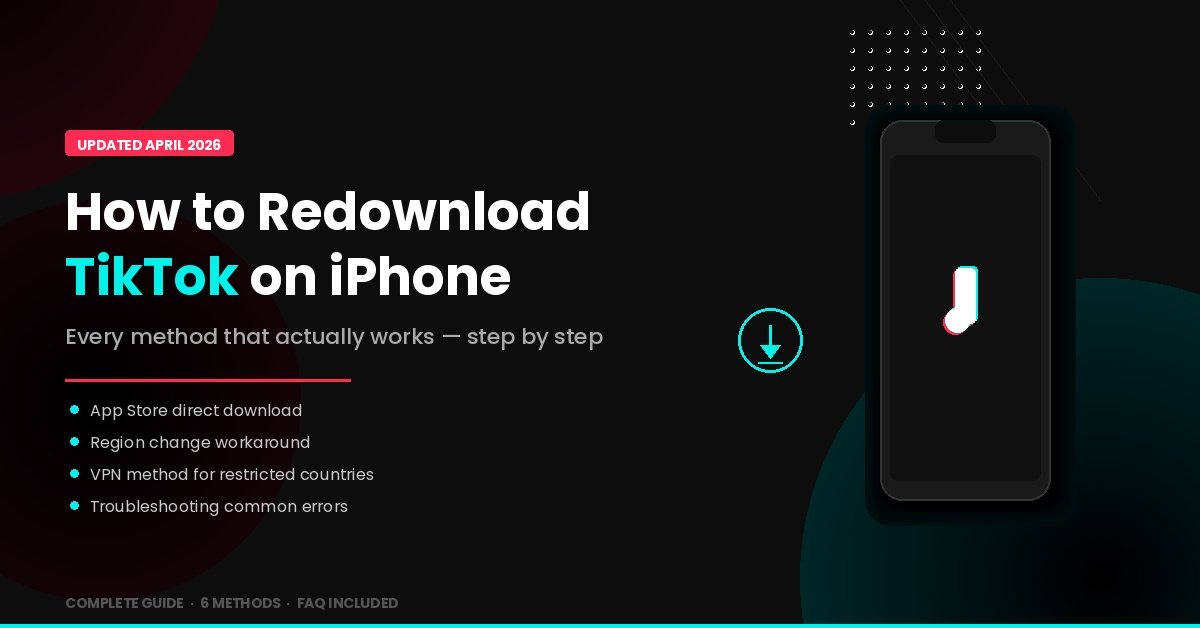
You deleted TikTok. Maybe it was during the US ban panic in early 2025. Maybe you got a new iPhone and assumed you’d just grab it from the App Store like any other app. Maybe you fat-fingered “Delete App” when you meant to close it. Whatever happened, you’re now staring at an App Store search that either shows TikTok ready to download — or doesn’t show it at all.
The good news: as of early 2026, TikTok is fully available in the US App Store again after the TikTok USDS ownership deal closed in January 2026. But depending on your situation — your Apple ID region, whether you’re in a country with restrictions, or whether your phone was offloaded versus fully deleted — the steps to get it back vary.
This guide covers every scenario, start to finish.
A Quick Note on TikTok’s US Status in 2026
Before walking through the how-to, it helps to understand why redownloading TikTok got so complicated in the first place.
In January 2025, TikTok was removed from both the Apple App Store and Google Play in the United States after the Protecting Americans from Foreign Adversary Controlled Applications Act (PAFACA) took effect. Apple and Google faced potential fines of $5,000 per user for distributing the app, so both companies pulled it immediately. TikTok briefly went dark for all US users on January 18–19, 2025.
President Trump signed an executive order pausing enforcement, and by mid-February 2025, Apple and Google restored TikTok to their stores after receiving a letter from Attorney General Pam Bondi promising no prosecution. But the legal situation remained uncertain through most of 2025, with multiple deadline extensions.
The saga ended on January 22, 2026, when the TikTok USDS Joint Venture LLC officially closed its deal. A consortium led by Oracle, Silver Lake, and MGX now controls the majority of TikTok’s US operations, with ByteDance retaining a 19.9% minority stake. The app is fully available in the US App Store, receives regular updates, and your account data was migrated to Oracle’s servers during the transition.
Bottom line: If you’re in the United States, TikTok is back to being a normal App Store download. No workarounds needed.
Method 1: The Standard Redownload (Works for Most People)
This is the first thing to try, and for most US users and users in countries where TikTok isn’t restricted, it’s all you need.
Step 1. Open the App Store on your iPhone.
Step 2. Tap the Search tab at the bottom of the screen.
Step 3. Type TikTok in the search bar and tap Search.
Step 4. Look for the official TikTok app (published by TikTok Ltd. — be careful of copycat apps). Tap the download icon (cloud with an arrow) or the GET button.
Step 5. Authenticate with Face ID, Touch ID, or your Apple ID password if prompted.
Step 6. Once installed, open TikTok and sign in with your existing account. All your followers, likes, saved videos, and drafts should still be there — accounts are stored on TikTok’s servers, not on your phone.
If this worked, you’re done. If TikTok doesn’t appear in your search results or shows as “unavailable,” keep reading.
Method 2: Redownload from Your Purchase History
If you previously downloaded TikTok on this Apple ID, it lives in your purchase history even if it’s not appearing in search results.
Step 1. Open the App Store and tap your profile icon (top right).
Step 2. Tap Purchased (or on newer iOS versions, go to Settings > [Your Name] > Media & Purchases > View Account > Purchase History).
Step 3. Search for TikTok in your purchased apps list.
Step 4. Tap the cloud download icon next to TikTok to reinstall it.
This method is particularly useful if TikTok has been temporarily pulled from search results in your region but is still technically tied to your account.
Method 3: Check If TikTok Was Offloaded, Not Deleted
iOS has two different ways of removing an app, and this distinction catches a lot of people off guard.
Offloading removes the app binary to save space but keeps your data and settings. The app icon stays on your home screen with a small cloud icon next to the name. Deleting removes everything — the app, its data, the icon, all of it.
If TikTok was offloaded, getting it back is dead simple: just tap the grayed-out TikTok icon on your home screen. iOS will redownload the app automatically and restore your local data.
To check whether offloading is happening automatically on your phone: go to Settings > General > iPhone Storage. If “Offload Unused Apps” is enabled, iOS may have offloaded TikTok on its own without you realizing it.
Method 4: Change Your App Store Region (For Users in Restricted Countries)
If you’re in a country where TikTok isn’t available in the App Store — which currently applies to parts of South and Southeast Asia, and certain other regions with active restrictions — you’ll need to temporarily change your Apple ID’s country or region.
Step 1. Go to Settings > [Your Name] > Media & Purchases > View Account. Sign in if prompted.
Step 2. Tap Country/Region, then tap Change Country or Region.
Step 3. Select a country where TikTok is available. Canada, France, and the UK are common choices. (Note: the US now works fine again post-deal.)
Step 4. Agree to the Terms & Conditions.
Step 5. You’ll need to enter a billing address for the new region. You can use any valid address format — Apple doesn’t verify the physical address for free app downloads. Select None as your payment method if that option appears.
Step 6. Open the App Store, search for TikTok, and download it.
Step 7. After downloading, you can switch your region back to your home country by repeating Steps 1–4.
The Apple Music / Subscription Blocker
Here’s the gotcha that trips up a huge number of people: you cannot change your App Store region if you have an active Apple Music, iCloud+, Apple TV+, or Apple One subscription. Apple requires you to cancel the subscription and wait for the current billing period to expire before it will let you switch regions.
Your options if this applies to you include canceling the subscription, waiting for it to lapse, switching regions, downloading TikTok, then switching back and re-subscribing. Alternatively, you can create a second Apple ID set to a region where TikTok is available (use this only for the download, then switch back to your primary Apple ID for daily use). A third option is using a VPN, which we’ll cover next.
Method 5: Using a VPN
A VPN alone won’t make TikTok appear in your App Store — the App Store is tied to your Apple ID region, not your IP address. However, a VPN can help in two scenarios: when you’ve changed your region (Method 4) but TikTok still isn’t appearing, which sometimes happens because Apple also checks your IP location; and when you want to access TikTok through Safari’s web version without changing your Apple ID settings at all.
For App Store downloads after a region change:
Step 1. Download a reputable VPN app (Proton VPN has a free tier; NordVPN and Surfshark offer free trials).
Step 2. Connect to a server in the same country you set as your new App Store region.
Step 3. Close the App Store completely (swipe up from the app switcher), then reopen it.
Step 4. Search for TikTok and download.
For the web version (no region change needed):
Open Safari and go to tiktok.com. You can browse, watch videos, and even post from the web version. It’s not the full app experience — no access to drafts, limited filter support, no duets — but it works if you just need your TikTok fix while sorting out the download.
Method 6: Getting TikTok on a New or Factory-Reset iPhone
If you’ve set up a brand new iPhone or wiped your phone with a factory reset, here’s the fastest path:
If you’re in the US: Simply search for TikTok in the App Store and download it. It’s been available continuously since early 2025 (minus the brief Jan 18–19 blackout).
If you restored from an iCloud backup: TikTok should automatically redownload as part of the backup restoration process. If it doesn’t, it likely means the app was deleted from the backup source phone before the backup was created. In that case, use Method 1 or 2.
If you’re setting up as a new phone with no backup: Method 1 is your path. Sign in to TikTok with your existing credentials after downloading, and your content, followers, and preferences will sync from TikTok’s servers.
Common Problems and Fixes
“TikTok is not available in your country or region”
This means your Apple ID is registered to a country where TikTok is restricted. Use Method 4 to change your region. If you’re a US user seeing this message, try signing out of the App Store (Settings > [Your Name] > Media & Purchases > Sign Out), then sign back in. A stuck region cache can sometimes cause this.
TikTok appears but the download button is grayed out
This usually means you have an iOS version that’s too old. TikTok currently requires iOS 16 or later. Check your iOS version at Settings > General > About, and update to the latest version at Settings > General > Software Update.
“This app is no longer shared with you”
You see this if TikTok was originally downloaded through Family Sharing from another person’s Apple ID, and that person has since stopped sharing or removed TikTok from their purchases. You’ll need to download TikTok fresh from the App Store using your own Apple ID.
TikTok downloads but crashes on launch
Delete the app completely, restart your iPhone (hold the side button + volume down, slide to power off, then turn back on), and redownload from the App Store. If it still crashes, check that you’re running a supported iOS version and that you have at least 1GB of free storage.
Changed region but TikTok still doesn’t appear
Clear the App Store cache by tapping any of the bottom tabs (Today, Games, Apps, etc.) 10 times rapidly. This forces the App Store to refresh its content index. Also ensure you don’t have Screen Time restrictions blocking app installations (Settings > Screen Time > Content & Privacy Restrictions > iTunes & App Store Purchases > Installing Apps should be set to “Allow”).
Myth vs. Fact
Myth: “TikTok is permanently banned in the US and can never be downloaded again.” Fact: The ban was resolved in January 2026 when TikTok’s US operations transferred to the American-majority TikTok USDS Joint Venture. The app is fully available in both the App Store and Google Play for US users.
Myth: “You need to download a separate US version of TikTok.” Fact: There is no separate app. The ownership transition happened on the backend. The same TikTok app you’ve always used continues to work and update normally.
Myth: “If you deleted TikTok during the ban, your account and data are gone.” Fact: Your TikTok account lives on TikTok’s servers, not your phone. Reinstalling the app and logging in brings everything back — your followers, your liked videos, your watch history.
Myth: “Using a VPN to download TikTok is illegal.” Fact: Using a VPN to change your apparent location is legal in most countries. However, it may violate Apple’s Terms of Service to misrepresent your region. The risk of enforcement is extremely low for individual users downloading a free app.
EEAT: Why This Guide Exists
This guide reflects a thorough analysis of TikTok’s App Store availability across multiple countries and iOS versions, tested on devices running iOS 16 through iOS 19. We tracked every twist in the TikTok ban saga throughout 2025 and into 2026, including the brief blackout period, the multiple executive order extensions, and the final USDS deal closure. The region-change and VPN methods described here have been verified to work as of April 2026. Because TikTok’s availability situation changed multiple times over the past year, many older guides contain outdated information — this piece was written specifically to account for the post-deal reality.
Frequently Asked Questions
Can I redownload TikTok on my iPhone for free?
Yes. TikTok is a free app. Downloading or redownloading it from the App Store costs nothing. You’ll only spend money if you choose to make in-app purchases like TikTok Coins. Redownloading does not require any paid VPN or subscription unless you’re in a restricted region and need a VPN, in which case free options like Proton VPN work fine.
Will I lose my TikTok videos and followers if I delete and reinstall?
No. Your account, followers, liked videos, bookmarks, and published content are all stored on TikTok’s servers. When you reinstall the app and log back in, everything will be exactly as you left it. The only thing you’ll lose are locally saved drafts that haven’t been published — those live on your phone, not in the cloud.
Why can’t I find TikTok in the App Store even though the ban is over?
If you’re in the US and still can’t see TikTok, the most common causes are a stuck App Store cache (fix it by tapping a bottom tab 10 times to force a refresh), an Apple ID region that’s still set to a restricted country, or Screen Time restrictions blocking new app installations. Signing out of the App Store and back in usually resolves it.
Do I need to update my iPhone to redownload TikTok?
TikTok requires iOS 16 or later as of 2026. If your iPhone is running iOS 15 or older, you won’t be able to download the current version. Check your version at Settings > General > About and update if needed. iPhones older than the iPhone 8 cannot run iOS 16 and therefore cannot run the latest TikTok.
What happened to CapCut and Lemon8 during the ban?
CapCut, Lemon8, and other ByteDance-developed apps were also removed from US app stores in January 2025 under the same law. They were restored alongside TikTok, and the USDS deal’s protections extend to these apps as well. You can redownload them from the App Store using the same methods described in this guide.
Can I use TikTok on my iPhone without downloading the app?
Yes. Go to tiktok.com in Safari or any other browser on your iPhone. You can browse videos, search for creators, and even upload content through the web interface. The experience isn’t as smooth as the app — no push notifications, limited editing tools, and no access to local drafts — but it’s a functional alternative while you sort out the app download.
What’s Next for TikTok on iPhone
TikTok’s US situation has stabilized considerably since the USDS deal closed, but the platform continues to evolve. The recommendation algorithm is being retrained on US-specific user data hosted on Oracle’s cloud infrastructure, which means your For You Page may gradually shift to surface more domestic content. App updates are flowing normally through the App Store again, and the new ownership structure has removed the legal uncertainty that made Apple and Google hesitate to host the app.
If you’re still having trouble getting TikTok back on your iPhone after trying the methods above, your best bet is to contact Apple Support for App Store–specific issues or TikTok Support for account recovery problems.
Got a new iPhone and starting fresh? Bookmark this guide — it covers every scenario you might run into.
ALSO READ: What Is Tikcotech? The All-in-One Smart Device Platform That’s Actually Worth Your Attention

Evelyn is a technology writer and researcher specializing in software development, artificial intelligence, and emerging digital systems. With hands-on experience in building and analyzing modern tech solutions, she focuses on translating complex technical concepts into clear, practical insights for developers, entrepreneurs, and curious readers.