A network connection can feel invisible when everything is working properly. Websites load, cloud applications respond, video calls stay clear, and employees can access the systems they need without thinking about what is happening behind the scenes. But the moment an internet connection drops, even briefly, that invisible infrastructure suddenly becomes very important.
This is where fast connection failover becomes valuable. Instead of allowing a failed internet connection to bring online activities to a halt, a failover system can automatically move traffic to another available connection. The goal is simple: keep users, devices, applications, and services connected with as little interruption as possible.
For businesses, remote teams, online stores, financial services, healthcare organizations, and even homes that depend heavily on the internet, reliable connectivity is no longer a luxury. A few minutes of downtime can mean lost productivity, missed communications, interrupted transactions, or frustrated customers.
Fortunately, connection failover does not have to be complicated. Once you understand how it works, why it matters, and what to look for when setting it up, it becomes much easier to build a network that can handle unexpected connection problems.
ALSO READ: Neurodiversity Financial Institutions IT AI: A Simple Guide
What Is Fast Connection Failover?
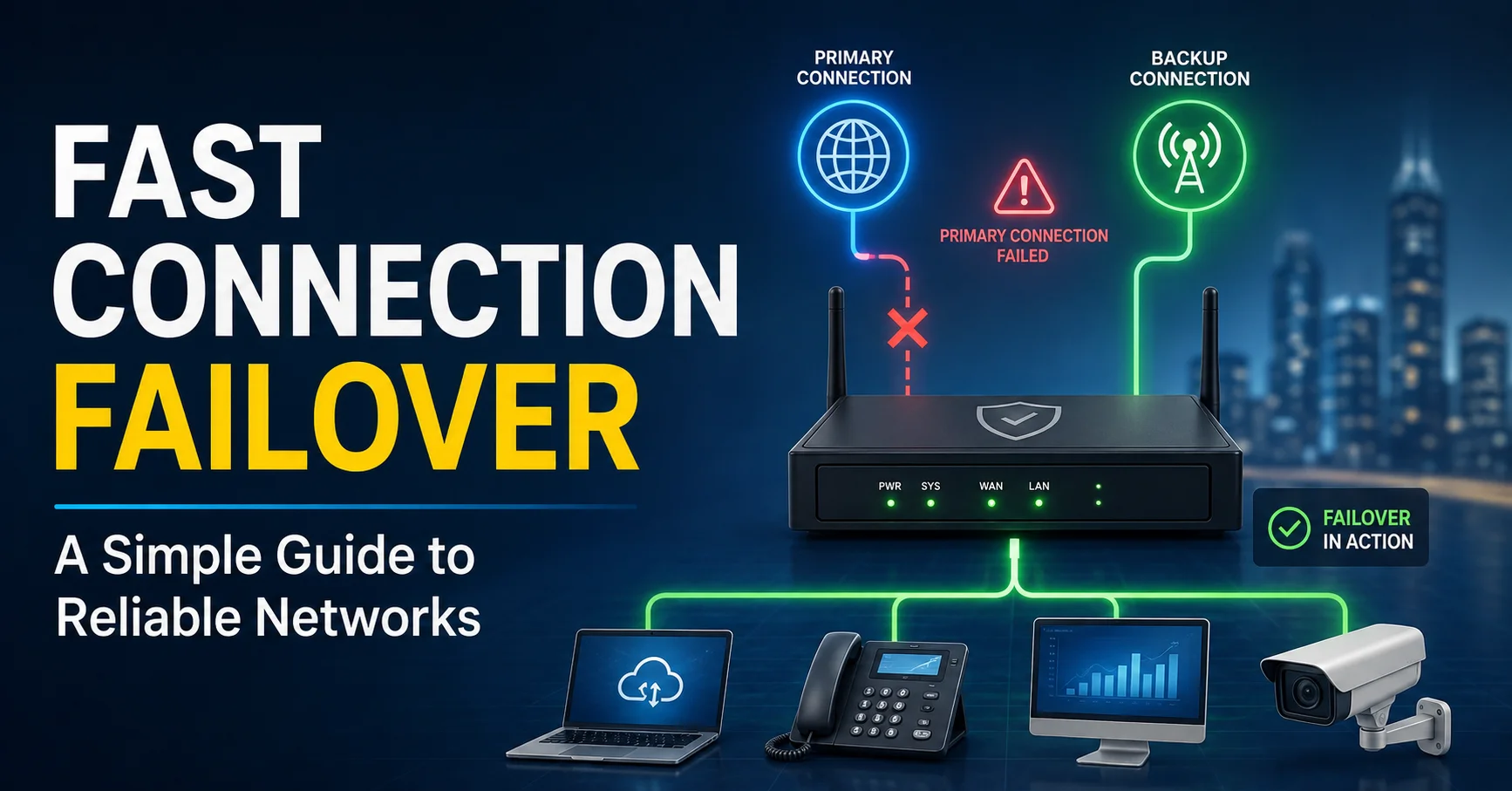
Fast connection failover is a networking method that automatically switches an internet connection from a primary link to a backup link when the primary connection becomes unavailable or unreliable.
Imagine a business using a fiber connection as its main internet service. The fiber line works normally most of the time, but an unexpected outage occurs because of equipment failure, construction, weather, or an issue with the provider.
Without failover, users may suddenly lose internet access.
With a failover setup, a router or network device detects the problem and redirects traffic through a secondary connection. That backup might be another wired broadband connection, a wireless service, a cellular connection, or another available network path.
The word “fast” is important because the objective is not simply to have a backup connection. The objective is to detect failure and switch connections quickly enough to minimize disruption.
Depending on the equipment and configuration, the transition may happen quickly enough that users barely notice the interruption.
Why Reliable Internet Connections Matter
Modern organizations rely on internet connectivity for far more than browsing websites.
Employees may use cloud-based productivity platforms, communication tools, customer relationship systems, accounting applications, file storage, video conferencing, remote desktop services, and business dashboards throughout the day.
If the internet disappears, many of those systems become difficult or impossible to use.
For an online retailer, connectivity problems can interfere with orders and customer support. For a professional services company, a network outage can interrupt meetings and prevent employees from accessing important documents. For remote workers, a dropped connection can disrupt collaboration and communication.
This is why network reliability is closely connected to business continuity.
A reliable network does not mean that outages will never happen. Instead, it means the network has a plan for what happens when something goes wrong.
How Connection Failover Works
The basic concept behind failover is straightforward.
A network normally has a primary connection and one or more backup connections.
The primary connection handles regular traffic. A monitoring mechanism continuously checks whether that connection is working correctly.
If the monitoring system determines that the primary connection has failed, it changes the routing behavior so traffic uses the backup connection.
A simplified process looks like this:
The primary internet connection carries normal traffic.
The network device monitors the connection.
A failure or serious degradation is detected.
The device marks the primary connection as unavailable.
Traffic is redirected to the backup connection.
The network continues operating through the secondary link.
The primary connection is monitored for recovery.
Once stable again, traffic may return to the primary connection.
The quality of this process depends on how the network detects failures and how quickly the equipment can change routing.
The Difference Between Failover And Load Balancing
Failover and load balancing are sometimes confused because both can involve multiple internet connections. However, they solve different problems.
Failover focuses primarily on availability. One connection is normally preferred, while another remains ready if the primary connection fails.
Load balancing distributes traffic across multiple connections. Instead of keeping a backup connection mostly unused, the network can actively use several connections at the same time.
For example, a company might have two internet providers.
With a basic failover configuration, Provider A could be the primary connection while Provider B acts as the backup.
With load balancing, both connections could carry traffic simultaneously.
Some advanced networking systems combine both approaches. They can distribute traffic during normal operation while also maintaining automatic failover if one connection becomes unavailable.
The best choice depends on the organization’s traffic requirements, budget, applications, and reliability goals.
What Can Cause An Internet Connection To Fail?
A good failover strategy begins with understanding what can actually go wrong.
Internet outages can happen for many reasons, including:
ISP Outages
An internet service provider may experience equipment failures, maintenance problems, routing issues, or broader service disruptions.
Even reliable providers can experience occasional outages.
Damaged Cables
Physical infrastructure can be damaged by construction work, accidents, severe weather, or other events. A damaged cable can interrupt connectivity even when the network equipment inside a building is working perfectly.
Router or Modem Problems
Sometimes the internet service itself is available, but the local modem, router, firewall, or network device stops functioning correctly.
This is particularly important because simply having two internet providers does not protect against failures in shared local equipment.
Power Failures
A network connection cannot remain available if essential networking equipment loses power.
This is why reliable connectivity often works best alongside an uninterruptible power supply or another suitable backup power solution.
Network Configuration Errors
Changes to routing rules, DNS settings, firewall policies, or other network configurations can cause connectivity problems.
A failover system can help with some failures, but poor configuration can also prevent failover from working correctly.
What Makes Failover Fast?
Several factors influence how quickly a network can switch connections.
Failure Detection
The first step is recognizing that the primary connection has failed.
A router may perform periodic checks against a destination or service to determine whether the connection is still usable.
If the system waits too long between checks, failover may be slow. If it checks too aggressively, temporary network fluctuations could trigger unnecessary switching.
Good configuration creates a balance.
Routing Changes
After detecting a failure, the network must change its routing behavior.
The speed of this process depends on the router, firewall, routing configuration, and network architecture.
Backup Connection Readiness
A backup connection must be ready to handle traffic.
If the secondary connection requires manual activation or lengthy initialization, the failover process will naturally take longer.
Application Behavior
Even when the network switches quickly, individual applications may behave differently.
Some applications reconnect automatically. Others may require a session to be restarted.
This means fast connection failover can minimize network downtime without guaranteeing that every active session will continue perfectly.
Choosing A Backup Internet Connection
A backup connection should be selected carefully.
Using two connections from the same provider may provide some protection, but it may not protect against a provider-wide outage.
For stronger resilience, organizations often consider using different technologies or providers.
For example, a business might use:
- Fiber as the primary connection
- Cable as a secondary connection
- Cellular service as an emergency backup
Another organization might combine fiber with a fixed wireless connection.
The important consideration is independence.
If both connections depend on the same physical infrastructure, a single failure could potentially affect both.
Cellular Failover: A Practical Backup Option
Cellular networks have become a popular option for backup connectivity because they do not depend on the same wired infrastructure as many traditional broadband connections.
A router with cellular support can automatically switch to a mobile network when the primary connection becomes unavailable.
This can be particularly useful for small offices, temporary work locations, retail businesses, remote sites, and organizations that need a backup connection without installing another physical broadband line.
However, cellular service has its own limitations.
Signal strength, network congestion, data limits, coverage, and service costs should all be considered before relying on cellular failover.
For critical applications, it is wise to test the backup connection under realistic conditions rather than assuming that it will perform exactly like the primary connection.
The Role Of Network Monitoring
Fast failover depends heavily on accurate monitoring.
A network device needs to know whether a connection is actually usable.
Simply checking whether a router has power may not be enough. The modem can remain online while the upstream internet connection is unavailable.
Effective monitoring may therefore involve testing connectivity beyond the local network.
For example, the network can periodically check whether it can reach a reliable external destination. If repeated checks fail, the device can determine that the primary path is no longer functioning properly.
Monitoring can also help identify partial failures.
A connection may technically remain online but become extremely slow or unstable. Depending on the network equipment, failover rules can sometimes be designed to respond to specific levels of degradation rather than only complete outages.
Avoiding Unnecessary Failover
Switching connections too easily can create another problem: instability.
Suppose a primary connection briefly fails for two seconds and then returns. If the router immediately switches to the backup connection, it may switch back again shortly afterward.
Repeated switching is often called flapping, and it can cause inconsistent network behavior.
A better configuration can use thresholds, timers, or multiple failed checks before declaring a connection unavailable.
The goal is not to switch at the first tiny sign of trouble. The goal is to switch when the primary connection is genuinely unreliable.
This is one reason careful testing and configuration matter.
Fast Connection Failover For Businesses
Businesses are among the biggest beneficiaries of reliable failover.
Consider a small company with ten employees working primarily through cloud applications. If the office loses internet access, every employee may suddenly be unable to perform routine tasks.
Even a short outage can create a chain reaction.
Meetings may be interrupted. Customer messages may go unanswered. Cloud files may become inaccessible. Employees may switch to mobile hotspots individually, creating an inefficient and confusing workaround.
With a properly configured failover system, the backup connection can take over automatically.
Employees may experience only a brief interruption instead of a complete outage.
For larger organizations, failover can become part of a broader network resilience strategy that includes redundant equipment, multiple providers, backup power, monitoring, and disaster recovery planning.
Fast Failover For Remote And Hybrid Work
Remote work has also increased the importance of dependable internet access.
Employees working from home may participate in video meetings, access company systems, transfer files, and communicate with colleagues throughout the day.
A home internet outage can therefore have a direct impact on productivity.
A backup connection, such as a mobile hotspot or cellular router, can provide an alternative path when the primary broadband connection fails.
The exact setup depends on the employee’s needs. Someone who only needs occasional backup connectivity may be satisfied with a smartphone hotspot, while a remote professional who depends heavily on stable connectivity may benefit from dedicated networking equipment.
Common Failover Mistakes
Failover technology can be extremely useful, but poor planning can reduce its effectiveness.
Never Testing the Backup
A backup connection that has never been tested is not a reliable backup.
Network administrators should periodically simulate an outage and confirm that traffic moves to the secondary connection as expected.
Using Connections That Share the Same Risk
Two connections may appear redundant while still depending on the same underlying infrastructure.
Understanding how each service reaches the building can reveal hidden dependencies.
Ignoring DNS and Application Sessions
Changing the internet path does not automatically guarantee that every application will continue without interruption.
DNS behavior, authentication systems, VPNs, and long-running sessions can affect the user experience.
Forgetting About Backup Power
Two internet connections are not very helpful if the router and modem lose power during an outage.
Backup power should therefore be considered part of the overall reliability plan.
Setting Failover Without Monitoring
If nobody knows when failover occurs, recurring problems can remain hidden.
Monitoring and alerts can help administrators understand when a connection fails, how long the backup connection was used, and whether the primary service recovered.
How To Set Up A Basic Failover Strategy
The exact configuration varies by router and network platform, but the general process is similar.
Identify the Primary Connection
Determine which internet connection should normally carry traffic.
Consider speed, reliability, latency, data limits, and cost.
Choose a Backup
Select a secondary connection that provides meaningful redundancy.
Ideally, the backup should not share the same major failure points as the primary service.
Use Compatible Network Equipment
The router or firewall needs to support multiple WAN connections and automatic failover.
Check the equipment specifications before purchasing or configuring it.
Configure Health Checks
Set up reliable tests that determine whether the primary connection is actually available.
Avoid relying only on the local modem status.
Define Failover Rules
Determine how many failed checks should trigger a switch and how long the system should wait before returning to the primary connection.
Test the System
Disconnect or disable the primary connection in a controlled environment.
Confirm that the backup activates and that important services remain usable.
Monitor Performance
Track outages, switching events, latency, and backup usage.
These records can help identify recurring problems and improve the network over time.
Security Considerations During Failover
Network reliability should never come at the expense of security.
When traffic moves to a backup connection, security controls should remain active.
Firewalls, VPN policies, access controls, filtering, and monitoring should be designed to work across all available connections.
A backup internet connection should not become a hidden path around normal security policies.
This is especially important for businesses handling confidential information or operating systems that require strict access controls.
Administrators should test whether security policies remain consistent when the network switches from the primary connection to the backup.
How Much Downtime Can Failover Prevent?
No failover system can guarantee zero downtime.
There may always be a short period during which the network detects the failure and switches connections. Applications may also need to reconnect.
However, properly designed failover can dramatically reduce the impact of outages.
The key is to think beyond a simple question such as, “How fast does the router switch?”
A better question is:
How quickly can the entire network return to useful operation?
That includes failure detection, routing changes, DNS behavior, application reconnection, authentication, and user experience.
The Cost Of Fast Connection Failover
The cost depends on the complexity of the network.
A simple home setup may require only a compatible router and a secondary cellular connection.
A small business may need dual internet services, a multi-WAN firewall, backup power, monitoring, and professional configuration.
Larger organizations may require multiple providers, redundant network devices, advanced routing, centralized monitoring, and carefully designed disaster recovery procedures.
Although these investments cost money, they should be compared with the potential cost of prolonged downtime.
For an organization that depends heavily on internet connectivity, redundancy can be viewed as an investment in continuity rather than simply an additional networking expense.
Best Practices For Reliable Failover
A strong failover strategy usually follows several practical principles.
First, keep the design simple. Complicated networks can introduce additional points of failure.
Second, use genuinely independent connections where possible.
Third, monitor the health of each connection, not just whether equipment appears powered on.
Fourth, test failover regularly.
Fifth, document the configuration so another administrator can understand how the system works.
Sixth, review performance after real outages. An actual outage can reveal weaknesses that a basic test may not uncover.
Finally, remember that failover is only one part of network resilience. Backup power, security, monitoring, equipment redundancy, and recovery procedures can all contribute to a stronger overall system.
Conclusion
A reliable internet connection is essential for modern digital life, and outages are sometimes unavoidable. The real question is how well a network responds when the primary connection stops working.
Fast connection failover provides a practical answer by automatically moving traffic to a backup connection when the primary path becomes unavailable. Instead of waiting for someone to manually troubleshoot the outage, the network can respond on its own and keep essential services running.
The best failover strategy is not necessarily the most complicated one. It is the one that uses dependable connections, sensible monitoring, appropriate equipment, secure routing, and regular testing.
Whether you are managing a business network, supporting remote work, or simply trying to maintain reliable connectivity, having a backup path can make a significant difference. When the primary connection fails, a well-designed failover system turns a potentially serious outage into a much smaller interruption.
FAQs
What is fast connection failover?
Fast connection failover is an automatic networking process that switches traffic from a failed primary internet connection to a backup connection to reduce downtime.
Why is connection failover important?
It helps maintain internet access when the primary connection experiences an outage, reducing interruptions to work, communication, and online services.
Can cellular internet be used for failover?
Yes. Cellular internet can provide a practical backup connection, particularly when the primary service uses wired infrastructure.
Does failover prevent all downtime?
No. Failover can greatly reduce downtime, but a brief interruption may occur while the network detects the failure and switches connections.
How often should failover be tested?
Failover should be tested regularly to confirm that the backup connection, routing rules, security controls, and important applications work correctly during an outage.
ALSO READ: Mindset Energy: Fuel Your Success From Within

Evelyn is a technology writer and researcher specializing in software development, artificial intelligence, and emerging digital systems. With hands-on experience in building and analyzing modern tech solutions, she focuses on translating complex technical concepts into clear, practical insights for developers, entrepreneurs, and curious readers.